MiScreen-Air Education Package

MiScreen-Air allows iPads/ Android Tablets/ Phones & Chromebooks to directly connect over Wi-Fi to the MiScreen machine.


With several advantages over Windows PC/ macOS Desktop Application Software, MiScreen-Air gives you greater control of design quality, size and position. 


  • Max Size

    A4 - 210mm (W) x 300mm (L)
  • Image Size

    A5/ A4/ A4+ on A3 Mesh
  • Resolution

    DTS 203dpi x 203dpi Thermal Print Head
  • Mesh Type

    RISO MiScreen 120Mes
    MiScreen 120 Mesh
  • Applications

    Fabrics/ Clothing Dark Coloured Fabrics Light Coloured Fabrics Hemp/ Recycled Materials Babies/ Childrens Clothing Sportswear Business/ Fashion Materials Canvas Cotton Polypropelene Paper/ Artboard Wood Cardboard Cermaics Glass

MiScreen Kits and Packages

NB: Contact your local MiScreen supplier for latest pricing and contents
Image Description

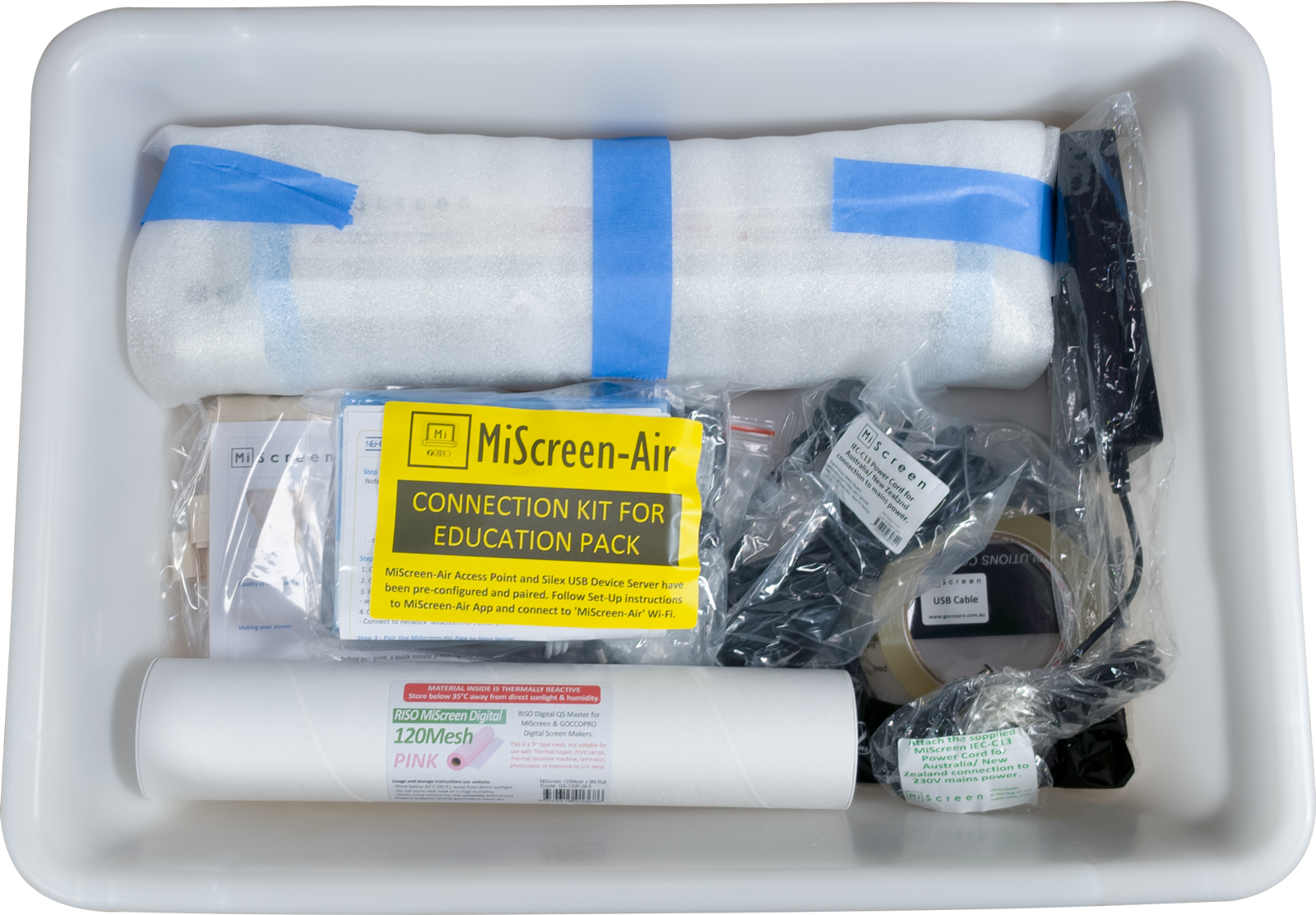
School/ Education Package

Available to all, designed with the essentials including all Mesh grades, frames, basic squeegee and accessories.

Product Code: DSM-MS120

  • MiScreen a4 DSM Machine
  • MiScreen Storage Container with Lid
  • 5 x RISO Digital 120Mesh Precut Sheets
  • 5 Metres x MiScreen 120Mesh
    (QS-120P-28-5)
  • RISO MiScreen Full Frame
    (S-8315)
  • MiScreen Full Frame with Red MaxiBond Tape (FP-MS1)
  • MiScreen Full Frame - no tape
    (FP-MS1-NT)
  • MiScreen Half Frame with Red MaxiBond Tape (FP-MS2)
  • NEHOC MiScreen Half Frame - no tape (FP-MS2-NT)
  • Roll MaxiBond Double Sided Tape (T-M25)
  • Roll Screen Masking Tape (T-24)
  • RISO MiScreen Printing Board with frame registration pins (S-8314)
  • 3"/75mm EZIblade Squeegee
  • 6"/150mm EZIblade Squeegee
  • 12"/305mm EZIblade Squeegee
  • NEHOC Printing Lesson #1 for Standard Inks with Bonus Calico Bag or T-shirt
  • Power Transformer with Australian Cord
  • USB Connection Cable
  • MiScreen Operating Instruction Book, Software CD-ROM (Free online download also available), MiScreen Power Pack with AU/NZ Power Cord, USB Connection Cable, Warranty Registration Form, Unpacking Usage Guide
Image Description

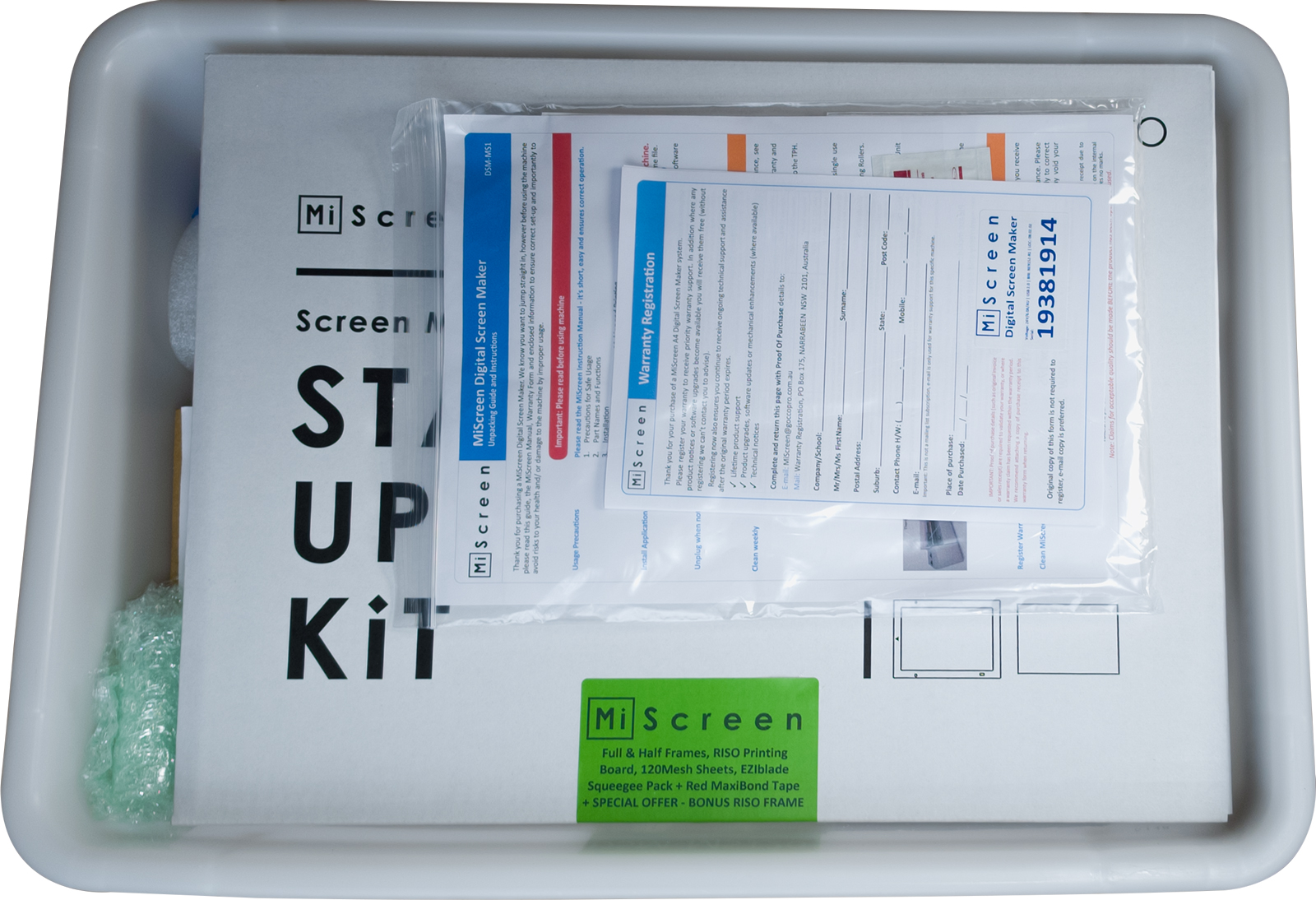
Basic Starter

Just the Machine and basic frames to get you started. Great building block to create your own custom package.

Product Code: DSM-MS1

  • MiScreen a4 DSM Machine
  • 5 x RISO 120Mesh Precut Sheets
  • RISO MiScreen Full Frame
    (S-8315)
  • RISO MiScreen Printing Board (with frame registration pins)
  • NEHOC MiScreen Full Frame
    ID: 250x370mm (no tape)
  • NEHOC MiScreen Half Frame
    ID: 250x210mm (no tape)
  • Roll Double Sided Tape (T-K18)
  • MiScreen Operating Instruction Book, Software CD-ROM (Free online download also available), MiScreen Power Pack with AU/NZ Power Cord, USB Connection Cable, Warranty Registration Form, Unpacking + Usage Guide
Image Description

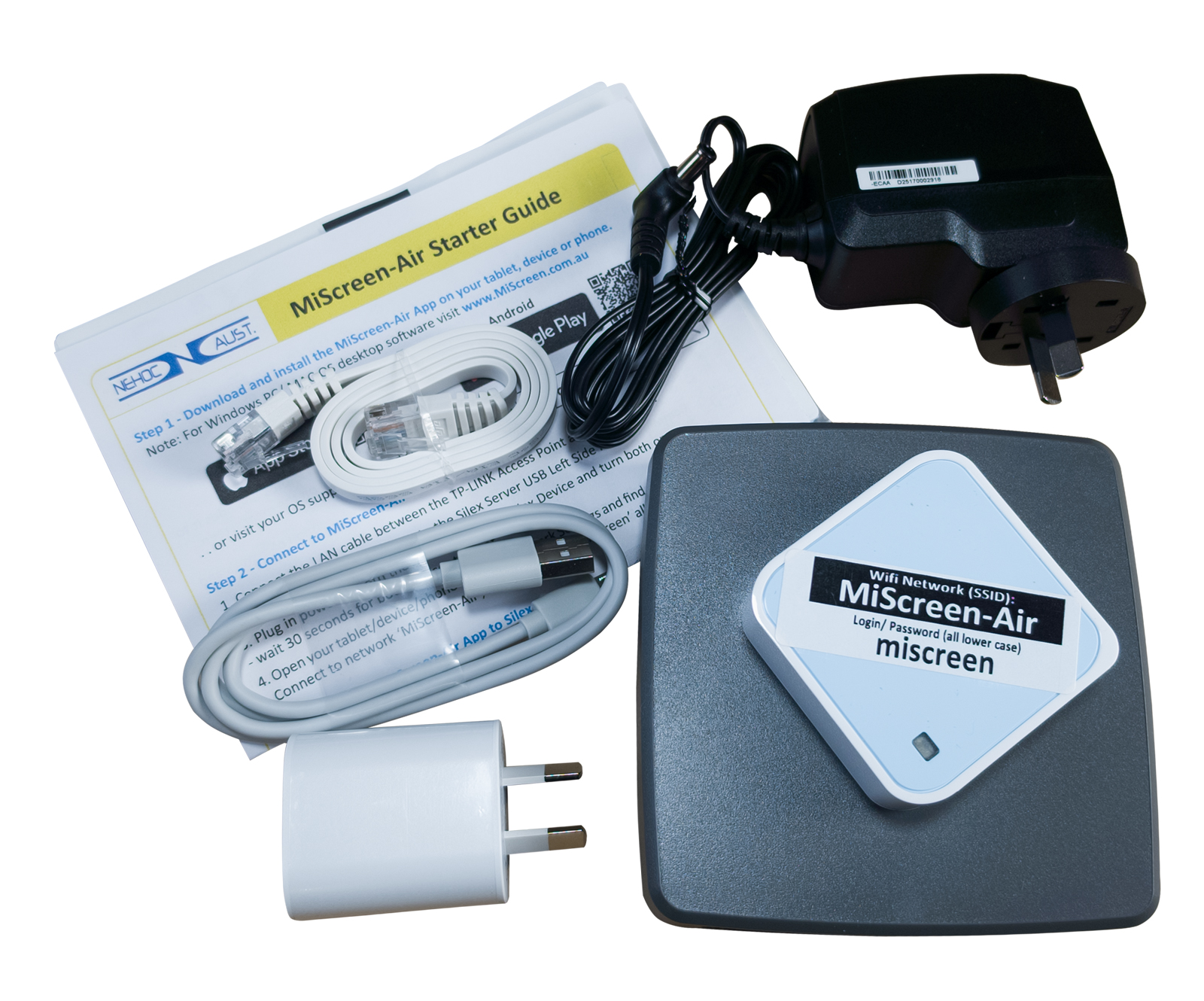
MiScreen-Air Education package

Just like the standard package, with the addition of the MiScreen-Air Connection Kit to give WiFi and desktop connection options.

Product Code: MSAIR-EDU

  • MiScreen a4 DSM Machine
  • MiScreen-Air WiFi Connection Kit - incl. NEHOC-SILEX, WiFi Access Point, AU power, connection cables + instructions
  • MiScreen Storage Container with Lid
  • 5 x RISO Digital 120Mesh Precut Sheets
  • 5 Metres x MiScreen 120Mesh
    (QS-120P-28-5)
  • RISO MiScreen Full Frame
    (S-8315)
  • MiScreen Full Frame with Red MaxiBond Tape (FP-MS1)
  • 1 x MiScreen Full Frame - no tap
    (FP-MS1-NT)
  • MiScreen Half Frame with Red MaxiBond Tape (FP-MS2)
  • NEHOC MiScreen Half Frame - no tape (FP-MS2-NT)
  • Roll MaxiBond Double Sided Tape (T-M25)
  • Roll Screen Masking Tape (T-24)
  • RISO MiScreen Printing Board with frame registration pins (S-8314)
  • 3"/75mm EZIblade Squeegee
  • 6"/150mm EZIblade Squeegee
  • 12"/305mm EZIblade Squeegee
  • NEHOC Printing Lesson #1 for Standard Inks with Bonus Calico Bag or T-shirt
  • Power Transformer with Australian Cord
  • USB Connection Cable
  • MiScreen Operating Instruction Book, Software CD-ROM (Free online download also available), MiScreen Power Pack with AU/NZ Power Cord, USB Connection Cable, Warranty Registration Form, Unpacking Usage Guide
What can you print?

Applications and Techniques

MiScreen opens the doors to printing almost anything with 3 Mesh grades from coarse 70Mesh for maximum ink flow, through to ultra fine 200Mesh for non-absorbent materials such as glass/ metals/ plastics.

It's also important to match a suitable ink/paint and the correct printing technique to complete the overall suitability for the application.

MiScreen Digital Mesh

RISO Digital QS Mesh is the new generation ('P' Type) Polyester Mesh.
More on QS Mesh

Which Mesh is best for each application?
- 70Mesh allows greatest ink flow for solid designs, use with Supercover fabric inks on abdorbent surfaces.
- 120Mesh is the sweet spor in the range with solid ink flow, fine detailed print quality and suitable for absorbent and non-absorbent items.
- 200Mesh is ultra fine designs used for glas/ metals/ plastics/ non-absorbent materials where off-contact printing is required for a controlled layer of ink flow.

Not everything is listed here, so if you have an application question Contact Us.